Help Center
-
Knowledge Base
-
-
-
- Articles coming soon
-
- Home
- Install Settings
- Merchandising
- Personalize
- Category
- NLP
- Script-Hooks
- Analytics
- Manage Users
- Agentic Search (AI-Powered Conversational Search)
- AI Synonyms
- Semantic Search
- AI Shop Assistant (Chat Widget)
- Recommendations Widget
- Advanced Filtering & Filter Trees
- Troubleshooting Guide
- Search Performance Optimization
- BigCommerce Search Integration
- WooCommerce Search Integration
- Getting Started with eCommerce Search
- Show all articles (5) Collapse Articles
-
-
- Install Settings
- Analytics
- Search settings
- Merchandising
- Category
- NLP
- Search-API info
- Manage Users
- Script-Hooks
- Personalize
- Agentic Search (AI-Powered Conversational Search)
- AI Synonyms
- Semantic Search
- Recommendations Widget
- Advanced Filtering & Filter Trees
- Troubleshooting Guide
- Search Performance Optimization
- WooCommerce Search Integration
- Show all articles (3) Collapse Articles
-
-
- Instructions to install app
- Home
- Install Settings [Shopify]
- Category
- Merchandising
- Search settings
- NLP
- Analytics
- Search-API info
- Manage Users
- Script-Hooks
- Personalize
- Agentic Search (AI-Powered Conversational Search)
- AI Synonyms
- Semantic Search
- AI Shop Assistant (Chat Widget)
- Recommendations Widget
- Commerce MCP Server (Shopify AI Tools)
- Advanced Filtering & Filter Trees
- Troubleshooting Guide
- Search Performance Optimization
- Show all articles (6) Collapse Articles
-
- List of all supported fields
- [Solved] Crawl error with Cloudflare website, Cloudflare is blocking crawler bot
- Expertrec Crawler - Control your Index
- Take Screenshot
- Manual extraction
- Automatic extraction
- Boost Fields
- Filter fields
- Create search for e-commerce store
- Use Existing Search Box
- Wordpress plugin
- Code
- Troubleshooting Guide
-
- Articles coming soon
-
< Back
You are here:
Print
Filter fields
Created On
Last Updated On
byExpertrec Marketing
Filter fields can be used to restrict search results to certain fields.
For example- You can use this feature to restrict search results only to PDFs.
Here are steps to accomplish this-
- Go to https://cse.expertrec.com/csedashboard/searchconfig/filterFields
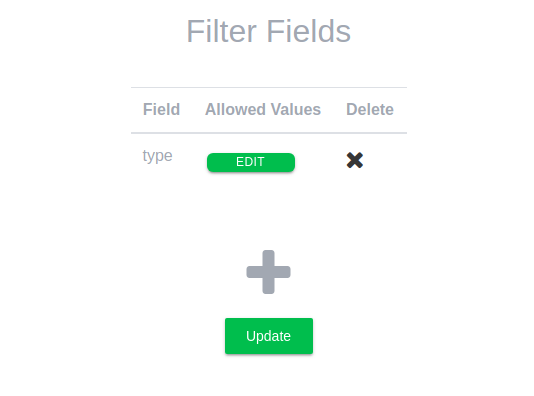
- Click on the + button.
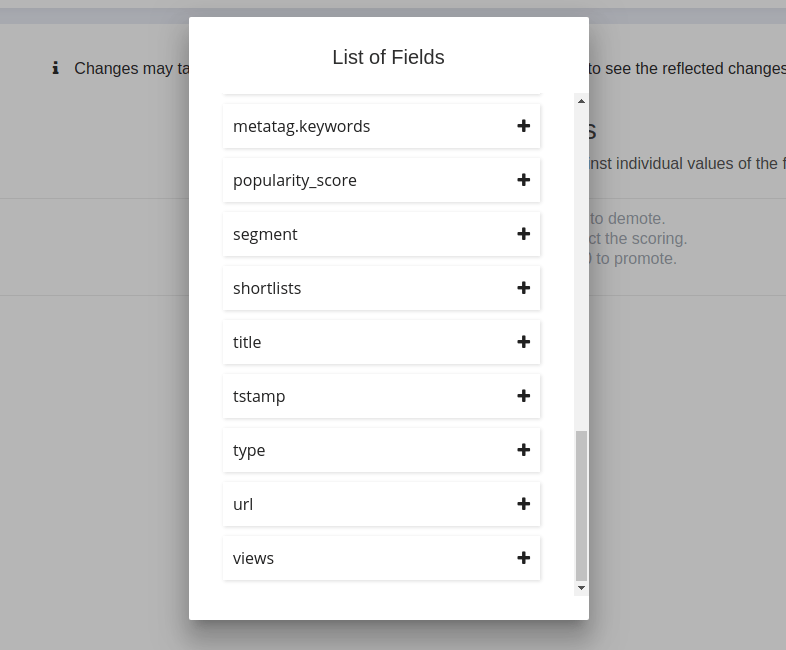
- Click on type
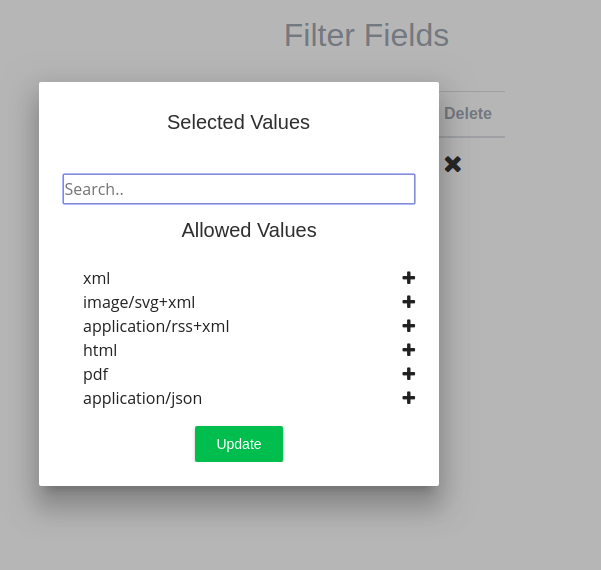
- Click on edit-> choose PDF-> Choose update
- Now search results will be restricted only to PDFs.
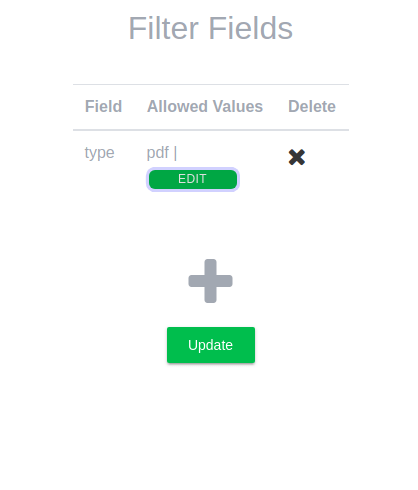


Table of Contents